
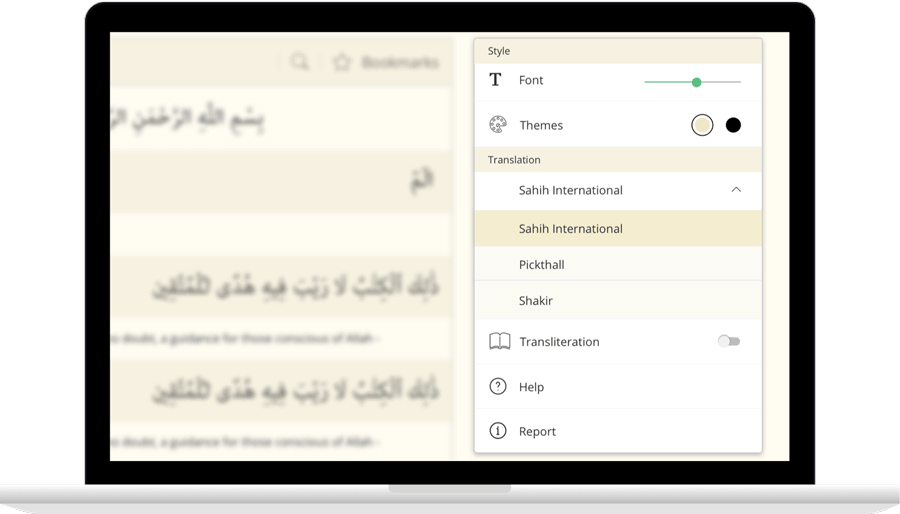
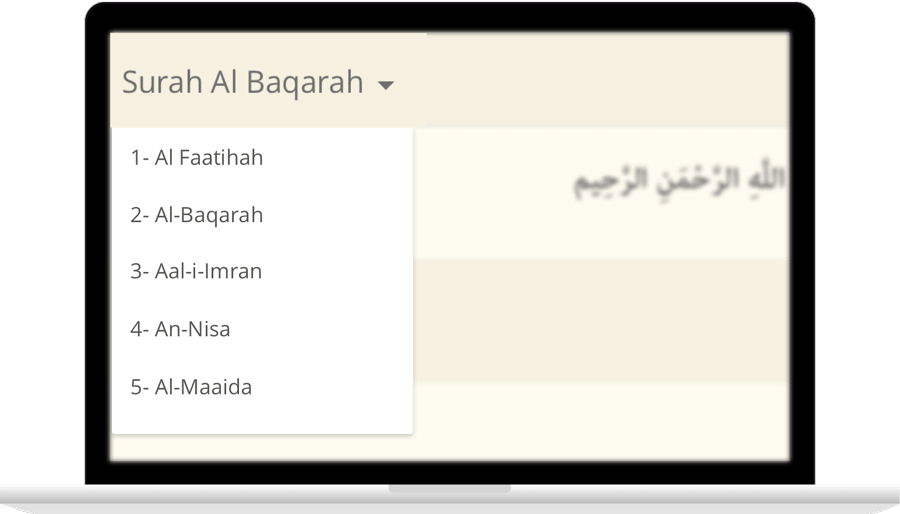
IslamicFinder brings Al Quran to you making the Holy Quran recitation a whole lot easier. With our Al Quran explorer feature, just with a tap, you can select the Surah you want to recite or listen to Quran mp3 audio! Offering your Holy Quran Translation and Quran Transliteration in English and several other languages, Quran recitation has never been easier. Happy reading!
Read Surah Hudwith translation
وَيَٰقَوۡمِ مَن يَنصُرُنِي مِنَ ٱللَّهِ إِن طَرَدتُّهُمۡۚ أَفَلَا تَذَكَّرُونَ
Waya qawmi man yansurunee mina Allahi in taradtuhum afala tathakkaroona
Mitt folk, hvem kan vel hjelpe meg overfor Gud, om jeg viste dem bort? Vil dere da ikke tenke etter?
وَلَآ أَقُولُ لَكُمۡ عِندِي خَزَآئِنُ ٱللَّهِ وَلَآ أَعۡلَمُ ٱلۡغَيۡبَ وَلَآ أَقُولُ إِنِّي مَلَكٞ وَلَآ أَقُولُ لِلَّذِينَ تَزۡدَرِيٓ أَعۡيُنُكُمۡ لَن يُؤۡتِيَهُمُ ٱللَّهُ خَيۡرًاۖ ٱللَّهُ أَعۡلَمُ بِمَا فِيٓ أَنفُسِهِمۡ إِنِّيٓ إِذٗا لَّمِنَ ٱلظَّٰلِمِينَ
Wala aqoolu lakum AAindee khazainu Allahi wala aAAlamu alghayba wala aqoolu innee malakun wala aqoolu lillatheena tazdaree aAAyunukum lan yutiyahumu Allahu khayran Allahu aAAlamu bima fee anfusihim innee ithan lamina alththalimeena
Jeg sier ikke til dere at jeg disponerer Guds skatter, eller at jeg kjenner det skjulte. Og jeg sier ikke at jeg er en engel. Heller ikke sier jeg til dem som dere ser ned på, at Gud vil aldri gi dem noe godt! Gud kjenner best det som bor i deres hjerter. Om jeg sa noe slikt, ville jeg handle urett!»
قَالُواْ يَٰنُوحُ قَدۡ جَٰدَلۡتَنَا فَأَكۡثَرۡتَ جِدَٰلَنَا فَأۡتِنَا بِمَا تَعِدُنَآ إِن كُنتَ مِنَ ٱلصَّٰدِقِينَ
Qaloo ya noohu qad jadaltana faaktharta jidalana fatina bima taAAiduna in kunta mina alssadiqeena
De sa: «Noa, du krangler med oss i det vide og brede. Så kom da med det du truer oss med, om du taler sant.»
قَالَ إِنَّمَا يَأۡتِيكُم بِهِ ٱللَّهُ إِن شَآءَ وَمَآ أَنتُم بِمُعۡجِزِينَ
Qala innama yateekum bihi Allahu in shaa wama antum bimuAAjizeena
Han svarte: «Gud alene kan bringe dere det, om Han vil. Og dere kan ikke forpurre det.
وَلَا يَنفَعُكُمۡ نُصۡحِيٓ إِنۡ أَرَدتُّ أَنۡ أَنصَحَ لَكُمۡ إِن كَانَ ٱللَّهُ يُرِيدُ أَن يُغۡوِيَكُمۡۚ هُوَ رَبُّكُمۡ وَإِلَيۡهِ تُرۡجَعُونَ
Wala yanfaAAukum nushee in aradtu an ansaha lakum in kana Allahu yureedu an yughwiyakum huwa rabbukum wailayhi turjaAAoona
Mine gode råd, om jeg prøvde å råde dere, ville ikke gagne dere, hvis Gud vil la dere fare vill. Han er deres Herre, og til Ham bringes dere tilbake.»
أَمۡ يَقُولُونَ ٱفۡتَرَىٰهُۖ قُلۡ إِنِ ٱفۡتَرَيۡتُهُۥ فَعَلَيَّ إِجۡرَامِي وَأَنَا۠ بَرِيٓءٞ مِّمَّا تُجۡرِمُونَ
Am yaqooloona iftarahu qul ini iftaraytuhu faAAalayya ijramee waana bareeon mimma tujrimoona
Eller de kan si: «Han har oppdiktet det.» Si: «Om jeg har oppdiktet det, så rammer synden meg selv. Men jeg er uskyldig i det dere beskylder meg for!»
وَأُوحِيَ إِلَىٰ نُوحٍ أَنَّهُۥ لَن يُؤۡمِنَ مِن قَوۡمِكَ إِلَّا مَن قَدۡ ءَامَنَ فَلَا تَبۡتَئِسۡ بِمَا كَانُواْ يَفۡعَلُونَ
Waoohiya ila noohin annahu lan yumina min qawmika illa man qad amana fala tabtais bima kanoo yafAAaloona
Noa ble inspirert dette: «Ingen av ditt folk vil komme til troen, unntatt de som allerede tror. Bli ikke fortvilet over det de gjør!
وَٱصۡنَعِ ٱلۡفُلۡكَ بِأَعۡيُنِنَا وَوَحۡيِنَا وَلَا تُخَٰطِبۡنِي فِي ٱلَّذِينَ ظَلَمُوٓاْ إِنَّهُم مُّغۡرَقُونَ
WaisnaAAi alfulka biaAAyunina wawahyina wala tukhatibnee fee allatheena thalamoo innahum mughraqoona
Lag Arken for Våre øyne, og etter Vår inspirasjon, og snakk ikke til Meg om dem som gjør urett. De skal druknes!»
وَيَصۡنَعُ ٱلۡفُلۡكَ وَكُلَّمَا مَرَّ عَلَيۡهِ مَلَأٞ مِّن قَوۡمِهِۦ سَخِرُواْ مِنۡهُۚ قَالَ إِن تَسۡخَرُواْ مِنَّا فَإِنَّا نَسۡخَرُ مِنكُمۡ كَمَا تَسۡخَرُونَ
WayasnaAAu alfulka wakullama marra AAalayhi malaon min qawmihi sakhiroo minhu qala in taskharoo minna fainna naskharu minkum kama taskharoona
Og han laget Arken. Hver gang folkets ledere gikk forbi, hånet de ham, og han svarte: «Om dere håner oss nå, så vil vi håne dere på samme måte,
فَسَوۡفَ تَعۡلَمُونَ مَن يَأۡتِيهِ عَذَابٞ يُخۡزِيهِ وَيَحِلُّ عَلَيۡهِ عَذَابٞ مُّقِيمٌ
Fasawfa taAAlamoona man yateehi AAathabun yukhzeehi wayahillu AAalayhi AAathabun muqeemun
og dere vil få vite hvem som rammes av en straff som gjør ham til skamme, og hvem som hjemsøkes av en varig straff.»
Surah Fatiha: 02
Qari Abdul Rahman Al-Sudais
QURAN AUDIO
00:00
/ 00:00
Surah
Ayat
Qari
Settings
SURAH
Ayat
Reciter


Contact Us

Thanks for reaching out.
We'll get back to you soon.