

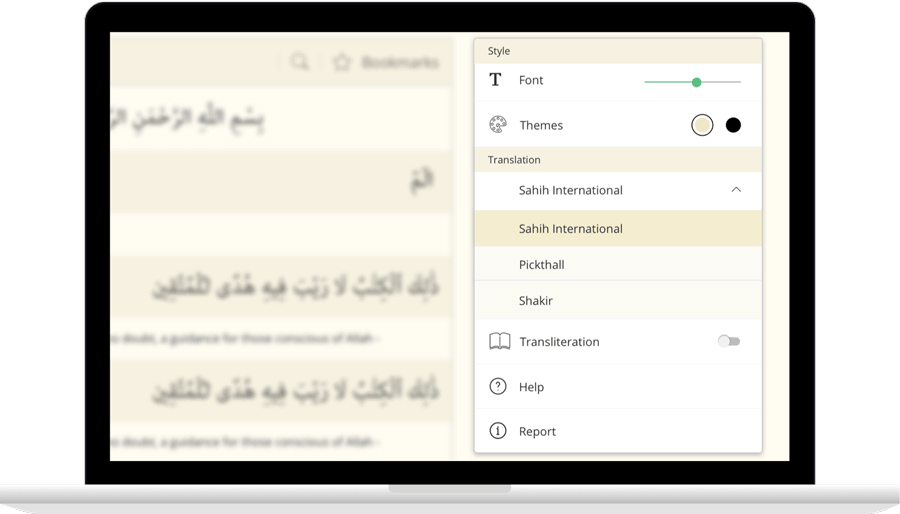
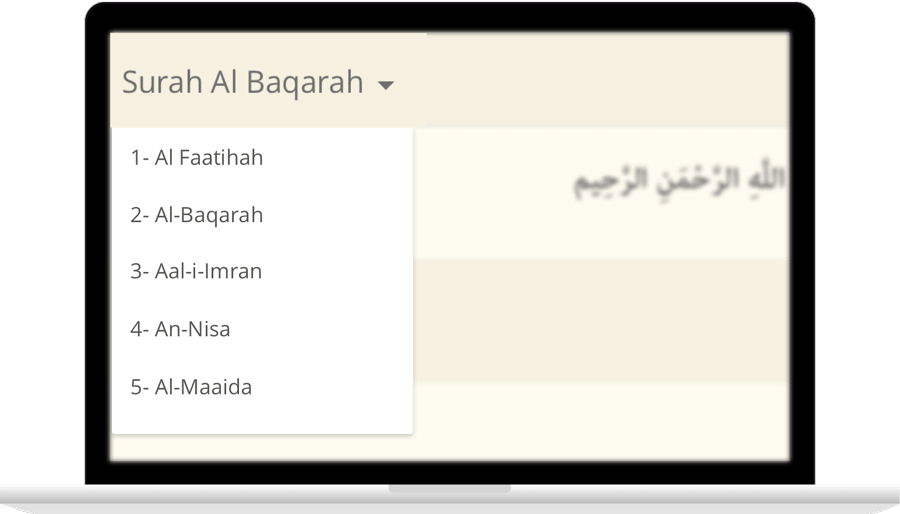
IslamicFinder brings Al Quran to you making the Holy Quran recitation a whole lot easier. With our Al Quran explorer feature, just with a tap, you can select the Surah you want to recite or listen to Quran mp3 audio! Offering your Holy Quran Translation and Quran Transliteration in English and several other languages, Quran recitation has never been easier. Happy reading!
Read Surah Maryamwith translation
فَلَمَّا ٱعۡتَزَلَهُمۡ وَمَا يَعۡبُدُونَ مِن دُونِ ٱللَّهِ وَهَبۡنَا لَهُۥٓ إِسۡحَٰقَ وَيَعۡقُوبَۖ وَكُلّٗا جَعَلۡنَا نَبِيّٗا
Falamma iAAtazalahum wama yaAAbudoona min dooni Allahi wahabna lahu ishaqa wayaAAqooba wakullan jaAAalna nabiyyan
En toen hij zich had gescheiden van hen en van de afgoden, welke zij naast God aanriepen, gaven wij hem Izaäk en Jacob, en wij maakten ieder van hen tot een profeet.
وَوَهَبۡنَا لَهُم مِّن رَّحۡمَتِنَا وَجَعَلۡنَا لَهُمۡ لِسَانَ صِدۡقٍ عَلِيّٗا
Wawahabna lahum min rahmatina wajaAAalna lahum lisana sidqin AAaliyyan
En wij gaven hun, door onze genade de profetiën en kinderen en welvaart, en wij deden hen de hoogste aanbeveling verdienen.
وَٱذۡكُرۡ فِي ٱلۡكِتَٰبِ مُوسَىٰٓۚ إِنَّهُۥ كَانَ مُخۡلَصٗا وَكَانَ رَسُولٗا نَّبِيّٗا
Waothkur fee alkitabi moosa innahu kana mukhlasan wakana rasoolan nabiyyan
En gedenk Mozes in het boek van den Koran; want hij was zeer oprecht, een gezant en een profeet.
وَنَٰدَيۡنَٰهُ مِن جَانِبِ ٱلطُّورِ ٱلۡأَيۡمَنِ وَقَرَّبۡنَٰهُ نَجِيّٗا
Wanadaynahu min janibi alttoori alaymani waqarrabnahu najiyyan
En wij riepen hem van de rechterzijde van den berg Sinaï, en deden hem naderen om zich in het bijzonder met ons te onderhouden.
وَوَهَبۡنَا لَهُۥ مِن رَّحۡمَتِنَآ أَخَاهُ هَٰرُونَ نَبِيّٗا
Wawahabna lahu min rahmatina akhahu haroona nabiyyan
Wij gaven hem door onze genade, zijn broeder Aäron, een profeet, als zijn helper.
وَٱذۡكُرۡ فِي ٱلۡكِتَٰبِ إِسۡمَٰعِيلَۚ إِنَّهُۥ كَانَ صَادِقَ ٱلۡوَعۡدِ وَكَانَ رَسُولٗا نَّبِيّٗا
Waothkur fee alkitabi ismaAAeela innahu kana sadiqa alwaAAdi wakana rasoolan nabiyyan
Herdenk ook Ismaël in hetzelfde boek; want hij was getrouw aan zijne beloften, gezant en profeet.
وَكَانَ يَأۡمُرُ أَهۡلَهُۥ بِٱلصَّلَوٰةِ وَٱلزَّكَوٰةِ وَكَانَ عِندَ رَبِّهِۦ مَرۡضِيّٗا
Wakana yamuru ahlahu bialssalati waalzzakati wakana AAinda rabbihi mardiyyan
En hij beval zijn gezin, het gebed in acht te nemen en aalmoezen te geven, en hij was zijnen Heer aangenaam.
وَٱذۡكُرۡ فِي ٱلۡكِتَٰبِ إِدۡرِيسَۚ إِنَّهُۥ كَانَ صِدِّيقٗا نَّبِيّٗا
Waothkur fee alkitabi idreesa innahu kana siddeeqan nabiyyan
En herdenk Edris in hetzelfde boek; want hij was een rechtvaardig mensch.
وَرَفَعۡنَٰهُ مَكَانًا عَلِيًّا
WarafaAAnahu makanan AAaliyyan
Wij verhieven hem tot een hooge plaats.
أُوْلَٰٓئِكَ ٱلَّذِينَ أَنۡعَمَ ٱللَّهُ عَلَيۡهِم مِّنَ ٱلنَّبِيِّـۧنَ مِن ذُرِّيَّةِ ءَادَمَ وَمِمَّنۡ حَمَلۡنَا مَعَ نُوحٖ وَمِن ذُرِّيَّةِ إِبۡرَٰهِيمَ وَإِسۡرَٰٓءِيلَ وَمِمَّنۡ هَدَيۡنَا وَٱجۡتَبَيۡنَآۚ إِذَا تُتۡلَىٰ عَلَيۡهِمۡ ءَايَٰتُ ٱلرَّحۡمَٰنِ خَرُّواْۤ سُجَّدٗاۤ وَبُكِيّٗا۩
Olaika allatheena anAAama Allahu AAalayhim mina alnnabiyyeena min thurriyyati adama wamimman hamalna maAAa noohin wamin thurriyyati ibraheema waisraeela wamimman hadayna waijtabayna itha tutla AAalayhim ayatu alrrahmani kharroo sujjadan wabukiyyan
Dit zijn zij, voor wie God weldadig was, onder de profeten der nakomelingschap van Adam en van hen, welke wij in de ark met Noach bewaarden, en van de nakomelingschap van Abraham, en van Israël, en van hen welke wij geleid en gekozen hebben. Toen hun de teekens van den Barmhartige waren voorgelezen, vielen zij aanbiddende neder en weenden.
Surah Fatiha: 02
Qari Abdul Rahman Al-Sudais
QURAN AUDIO
00:00
/ 00:00
Surah
Ayat
Qari
Settings
SURAH
Ayat
Reciter


Contact Us

Thanks for reaching out.
We'll get back to you soon.