

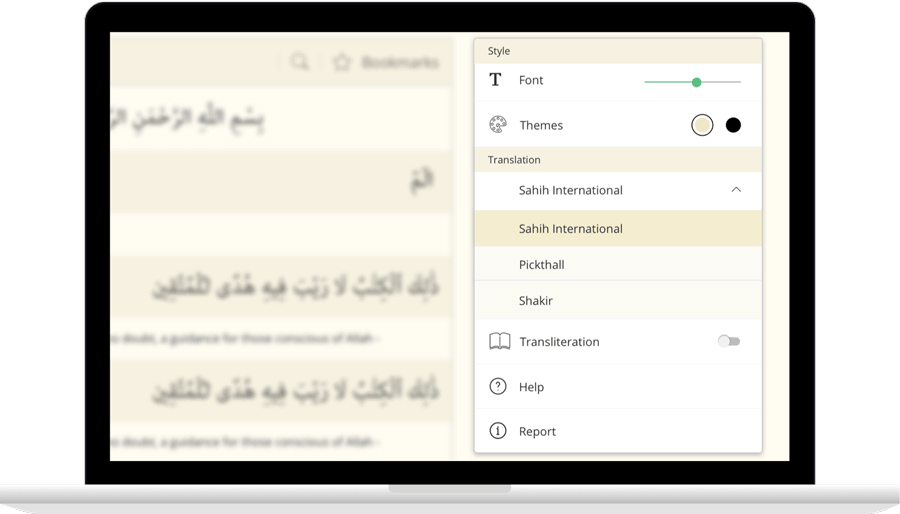
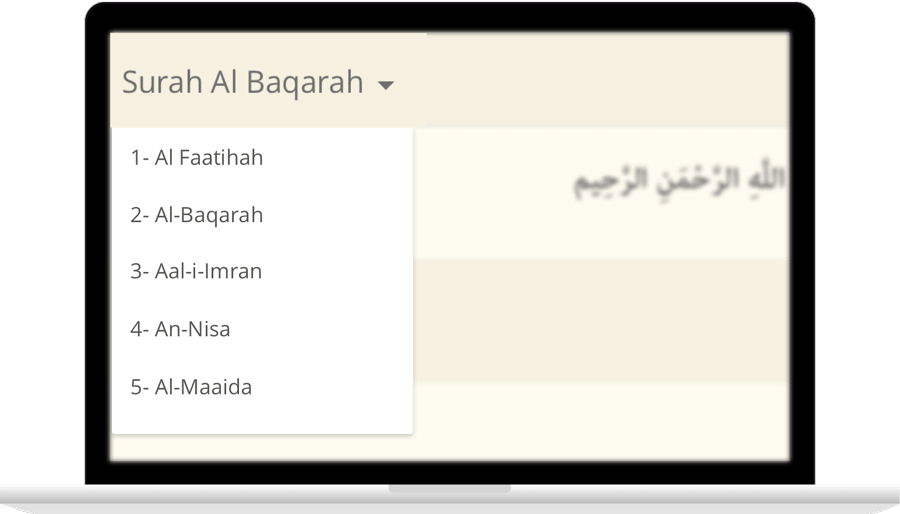
IslamicFinder brings Al Quran to you making the Holy Quran recitation a whole lot easier. With our Al Quran explorer feature, just with a tap, you can select the Surah you want to recite or listen to Quran mp3 audio! Offering your Holy Quran Translation and Quran Transliteration in English and several other languages, Quran recitation has never been easier. Happy reading!
Read Surah Israwith translation
قَالَ ٱذۡهَبۡ فَمَن تَبِعَكَ مِنۡهُمۡ فَإِنَّ جَهَنَّمَ جَزَآؤُكُمۡ جَزَآءٗ مَّوۡفُورٗا
Qala ithhab faman tabiAAaka minhum fainna jahannama jazaokum jazaan mawfooran
Eebe wuxuu ku yidhi: Tag ciddii ku raacda oo ka midana Jahannamaa Jashiisu yahay abaal marin dhamaystiiran.
وَٱسۡتَفۡزِزۡ مَنِ ٱسۡتَطَعۡتَ مِنۡهُم بِصَوۡتِكَ وَأَجۡلِبۡ عَلَيۡهِم بِخَيۡلِكَ وَرَجِلِكَ وَشَارِكۡهُمۡ فِي ٱلۡأَمۡوَٰلِ وَٱلۡأَوۡلَٰدِ وَعِدۡهُمۡۚ وَمَا يَعِدُهُمُ ٱلشَّيۡطَٰنُ إِلَّا غُرُورًا
Waistafziz mani istataAAta minhum bisawtika waajlib AAalayhim bikhaylika warajlika washarikhum fee alamwali waalawladi waAAidhum wama yaAAiduhumu alshshaytanu illa ghurooran
ku duufso ciddaad karto oo ka mida codkaaga kuna soo Jiido fardahaaga iyo lugtaada lana wadaag xoolaha iyo Carruurta una yabooh, mana yabooho shaydaan waxaan dhagar ahayn (iyo Baadi).
إِنَّ عِبَادِي لَيۡسَ لَكَ عَلَيۡهِمۡ سُلۡطَٰنٞۚ وَكَفَىٰ بِرَبِّكَ وَكِيلٗا
Inna AAibadee laysa laka AAalayhim sultanun wakafa birabbika wakeelan
Addoomadayda kuma lihid xujo, Eebahooda waa ku filan yahay wakiil (Ilaaliye).
رَّبُّكُمُ ٱلَّذِي يُزۡجِي لَكُمُ ٱلۡفُلۡكَ فِي ٱلۡبَحۡرِ لِتَبۡتَغُواْ مِن فَضۡلِهِۦٓۚ إِنَّهُۥ كَانَ بِكُمۡ رَحِيمٗا
Rabbukumu allathee yuzjee lakumu alfulka fee albahri litabtaghoo min fadlihi innahu kana bikum raheeman
Eebihiin waa kan idinku wada doonta (Markabka) badda dhexdeeda inaad doonataan Fadligiisa (Risqi) Eebana waa idiin Naxariiste.
وَإِذَا مَسَّكُمُ ٱلضُّرُّ فِي ٱلۡبَحۡرِ ضَلَّ مَن تَدۡعُونَ إِلَّآ إِيَّاهُۖ فَلَمَّا نَجَّىٰكُمۡ إِلَى ٱلۡبَرِّ أَعۡرَضۡتُمۡۚ وَكَانَ ٱلۡإِنسَٰنُ كَفُورًا
Waitha massakumu alddurru fee albahri dalla man tadAAoona illa iyyahu falamma najjakum ila albarri aAAradtum wakana alinsanu kafooran
markuu idinku taabto badda dhibna wuu dhumaa waxaad baryeyseen Eebe mooyee, markuu idiin soo koriyo Barrigana waad jeedsatan Dadkuna waa Gaalnimo badane.
أَفَأَمِنتُمۡ أَن يَخۡسِفَ بِكُمۡ جَانِبَ ٱلۡبَرِّ أَوۡ يُرۡسِلَ عَلَيۡكُمۡ حَاصِبٗا ثُمَّ لَا تَجِدُواْ لَكُمۡ وَكِيلًا
Afaamintum an yakhsifa bikum janiba albarri aw yursila AAalaykum hasiban thumma la tajidoo lakum wakeelan
Miyaad ka Aamin Noqoteen in Eebe idinla Gooyo dhinac Dhulka ka mida, ama idinku soo diro Dabayl daran markaas aydaan helin Wakiil.
أَمۡ أَمِنتُمۡ أَن يُعِيدَكُمۡ فِيهِ تَارَةً أُخۡرَىٰ فَيُرۡسِلَ عَلَيۡكُمۡ قَاصِفٗا مِّنَ ٱلرِّيحِ فَيُغۡرِقَكُم بِمَا كَفَرۡتُمۡ ثُمَّ لَا تَجِدُواْ لَكُمۡ عَلَيۡنَا بِهِۦ تَبِيعٗا
Am amintum an yuAAeedakum feehi taratan okhra fayursila AAalaykum qasifan mina alrreehi fayughriqakum bima kafartum thumma la tajidoo lakum AAalayna bihi tabeeAAan
Miyaadse ka Aamin Noqoteen inuu idinku eeliyo (Badda) mar kale oos idinku diro Dabayl (wax jajabisa) oos idin Maansheeyo gaalnimadiinna darteed, markaas aydaan u helin wax noo raacda.
وَلَقَدۡ كَرَّمۡنَا بَنِيٓ ءَادَمَ وَحَمَلۡنَٰهُمۡ فِي ٱلۡبَرِّ وَٱلۡبَحۡرِ وَرَزَقۡنَٰهُم مِّنَ ٱلطَّيِّبَٰتِ وَفَضَّلۡنَٰهُمۡ عَلَىٰ كَثِيرٖ مِّمَّنۡ خَلَقۡنَا تَفۡضِيلٗا
Walaqad karramna banee adama wahamalnahum fee albarri waalbahri warazaqnahum mina alttayyibati wafaddalnahum AAala katheerin mimman khalaqna tafdeelan
dhabbaanu u sharrifnay Binii Aadamka waxaana ku xambaarray Barriga iyo Baddaba waxaana ku arsaaqnay wanaag, waxaana ka fadilnay wax badan oo ka mida waxaan Abuurray fadilaad.
يَوۡمَ نَدۡعُواْ كُلَّ أُنَاسِۭ بِإِمَٰمِهِمۡۖ فَمَنۡ أُوتِيَ كِتَٰبَهُۥ بِيَمِينِهِۦ فَأُوْلَٰٓئِكَ يَقۡرَءُونَ كِتَٰبَهُمۡ وَلَا يُظۡلَمُونَ فَتِيلٗا
Yawma nadAAoo kulla onasin biimamihim faman ootiya kitabahu biyameenihi faolaika yaqraoona kitabahum wala yuthlamoona fateelan
(xusuuso) Maalintaan cid walba ugu yeedhayno Imaamkeeda «Quraanka ama Nabiga» ciddiise laga siiyo Kitaabkiisa Midigta kuwaasi way akhrin Kitaabkooda lagamana dulmiyo xuub laf timireed.
وَمَن كَانَ فِي هَٰذِهِۦٓ أَعۡمَىٰ فَهُوَ فِي ٱلۡأٓخِرَةِ أَعۡمَىٰ وَأَضَلُّ سَبِيلٗا
Waman kana fee hathihi aAAma fahuwa fee alakhirati aAAma waadallu sabeelan
cidiise Addunka ku indho la' (xaqa diida) aakharana wuu indho la'aan oo ka dhumi Jidka.
Surah Fatiha: 02
Qari Abdul Rahman Al-Sudais
QURAN AUDIO
00:00
/ 00:00
Surah
Ayat
Qari
Settings
SURAH
Ayat
Reciter


Contact Us

Thanks for reaching out.
We'll get back to you soon.